
Free WordPress plugin
Design your WordPress login page with blocks
Build the login, registration and lost password screens in the block editor, then protect them with a custom login URL and login attempt limits.

Features
A login page builder and login protection in one plugin
Design the screen in the editor you already use. WordPress still runs every sign-in.
Block editor login design
Create a Login Design with blocks like any page, then choose which one is live.
15 ready-made templates
Split screen, photo background, glass card, gradient border, stepped sign-in and tabbed log in and sign up. Import one and edit it.
Login Form block
Places the native WordPress form. Set width, padding, radius, background, text and button colours from the sidebar.
One design for every screen
Login, registration, password reset and the other wp-login.php screens all use the design you pick.
Custom login URL
Move the login to your own address, such as /my-login, and hide wp-login.php.
Limit login attempts
Lock out an IP address after too many failed sign-ins. You choose the number of attempts and the lockout time.
Live in four steps
From install to a branded login screen, with no code, no page builder and no Customizer panel.


Build the login screen like any other page
Seven blocks cover the whole account area. Drop them into a design, style them from the sidebar and publish.
Move the login page and hide wp-login.php
Pick your own address. The login, password reset and registration screens move there, and the links in emails follow.


Login security
Slow down brute-force password guessing
Limit login attempts locks out an IP address after too many failed sign-ins. It is not a firewall, so keep strong passwords too.


Allow list
IP addresses you trust are never locked out.
Works behind Cloudflare and proxies
Reads the real visitor IP from the header your proxy sends.
Lockout log
See which addresses are locked and the last username each one tried.

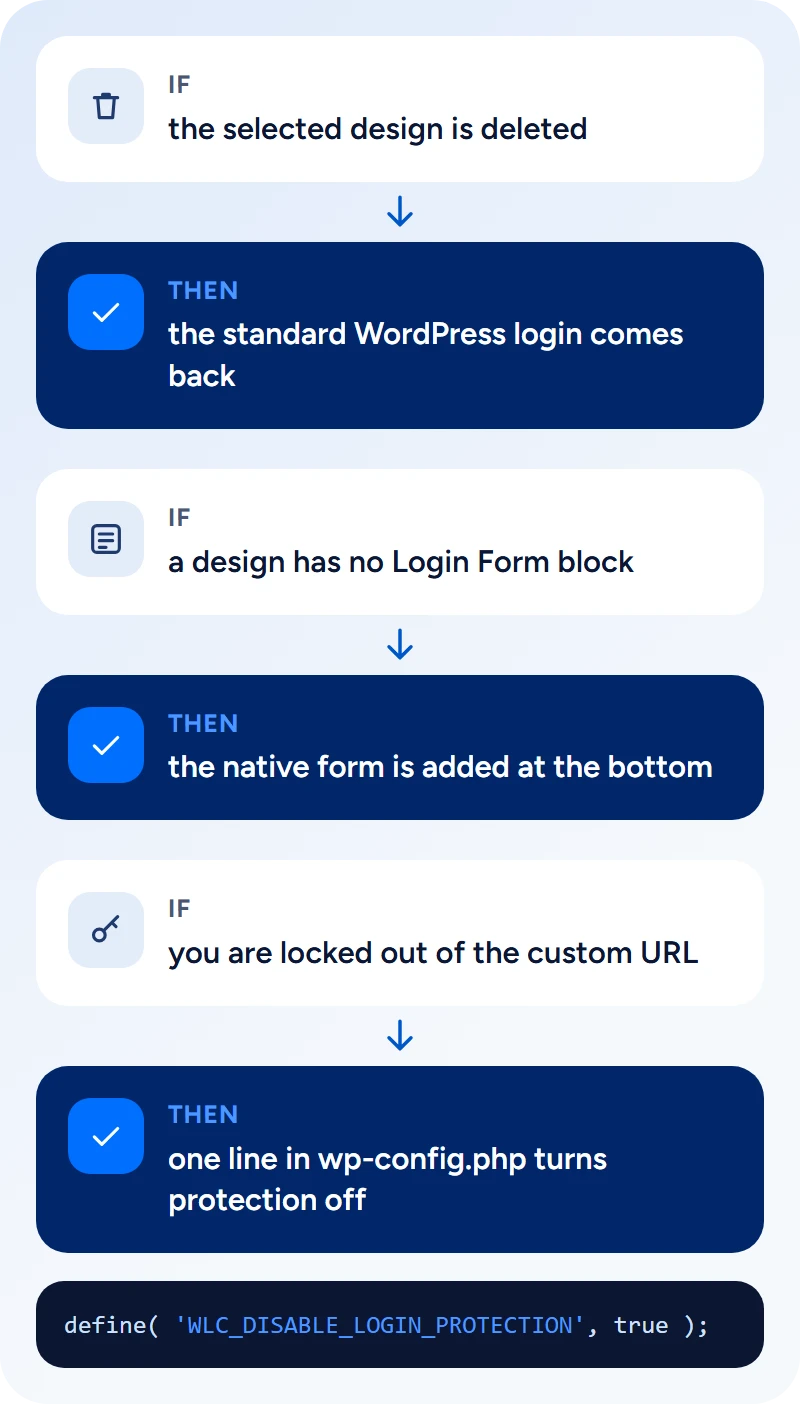
A way back in, whatever happens
WordPress still runs every sign-in. The plugin places the real login form inside your design, so redirects, validation and other login plugins keep working.
Everything on this page is free
There is no Pro version and no feature behind a licence key. Install it from WordPress.org on as many sites as you like.
What you get
Free
Login designs built in the block editor
✓
15 ready-made templates
✓
Login Form, stepped and advanced form blocks
✓
Register, Lost Password, Tabs and Text blocks
✓
Custom login URL and hidden wp-login.php
✓
Limit login attempts with an allow list
✓
Lockout log with one-click unlock
✓
Cloudflare and proxy support
✓
Questions about Login Customiser
No. Login Customiser is a free plugin on WordPress.org and every feature on this page is included.
No. The Login Form block places the native form inside your design. Authentication, validation, redirects and hooks from other plugins still run through WordPress core.
The native form is placed in a fallback container at the bottom of the active design, so people can still sign in. The settings screen shows a warning until you add the block.
Yes. On the Security tab, enter a slug such as my-login and turn on Hide wp-login.php. Signed-out visitors who open wp-login.php or wp-admin then see the 404 page. Pretty permalinks are required, and you should bookmark the new address before you sign out.
Add define( ‘WLC_DISABLE_LOGIN_PROTECTION’, true ); to wp-config.php. Your settings are kept but not applied, so wp-login.php works again.
It helps. Limit login attempts locks out an IP address after repeated failed sign-ins, and a custom login URL keeps bots away from the default address. It is not a firewall, so use it alongside strong passwords and, if you like, two-factor authentication.
They run on the native form and hooks, which this plugin leaves untouched, so they normally keep working. Test your own setup before going live.
No. The design only loads on the login screens, not on your public pages.
Give your login page a design of its own
Install Login Customiser from WordPress.org. It is free, and there is no Pro version to buy later.